 ProxyNow
Setup Your Own Proxy
Run a proxy and support internet freedom with the click of a button
1
Download Our Proxy Setup Tool
For a quick and easy Proxy setup simply download and run our script
or view the source code on GitHub
2
Run The Proxy
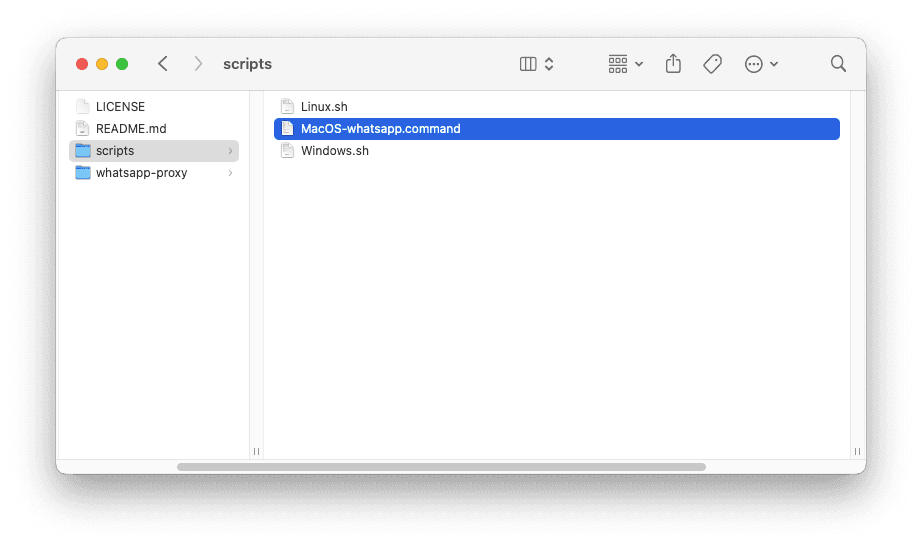
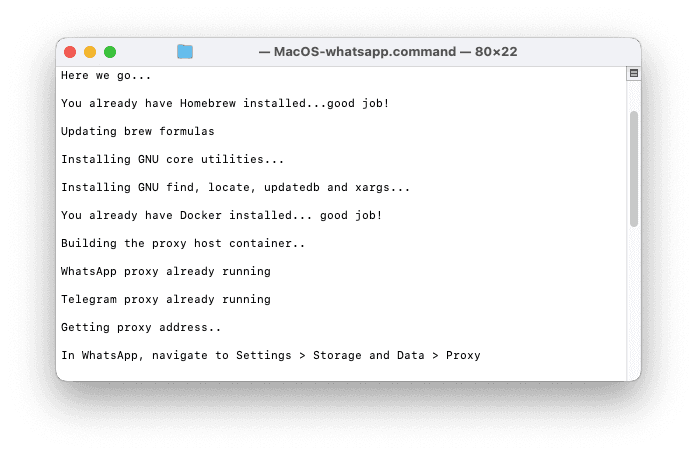
Unzip the downloaded folder and open it then navigate to scripts folder and open the MacOS-whatsapp.command file. This will start the proxy in Terminal.

3
Share Your Proxy Address
That’s it, you now have a working proxy! Share the address displayed at the bottom of the Terminal to allow others to connect to your proxy. Please consider registering your proxy on our list to help people find it.
Having Trouble?
I received the error “Unable to automatically map ports”

My proxy is running but I can’t connect to it on WhatsApp